
How to Upgrade Your Card?
STEP 1
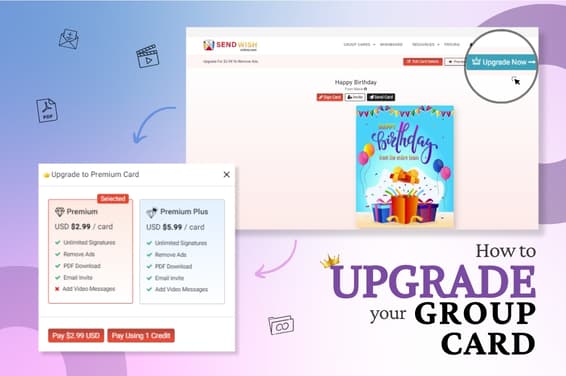
While you are creating your free cards you might get the option to Upgrade your Card, incase you skip that follow these steps.
STEP 2
Go to your My Account option, click on Group Card Created and you will be directed to a Dashboard.
STEP 3
Look for whichever card you want to Upgrade and you will find an Upgrade option right next to the card.
STEP 4
You will be presented with a small message that lists the premium and premium plus card features. Select the plan that suits your requirements and click on Pay.
STEP 5
Complete the payment procedure by filling in all the required details.
STEP 6
Once everything is as required, your account will be upgraded with the new pack of group cards.